
🖥️ BitRAT 1.39: Advanced Remote Administration Tool – Complete Review
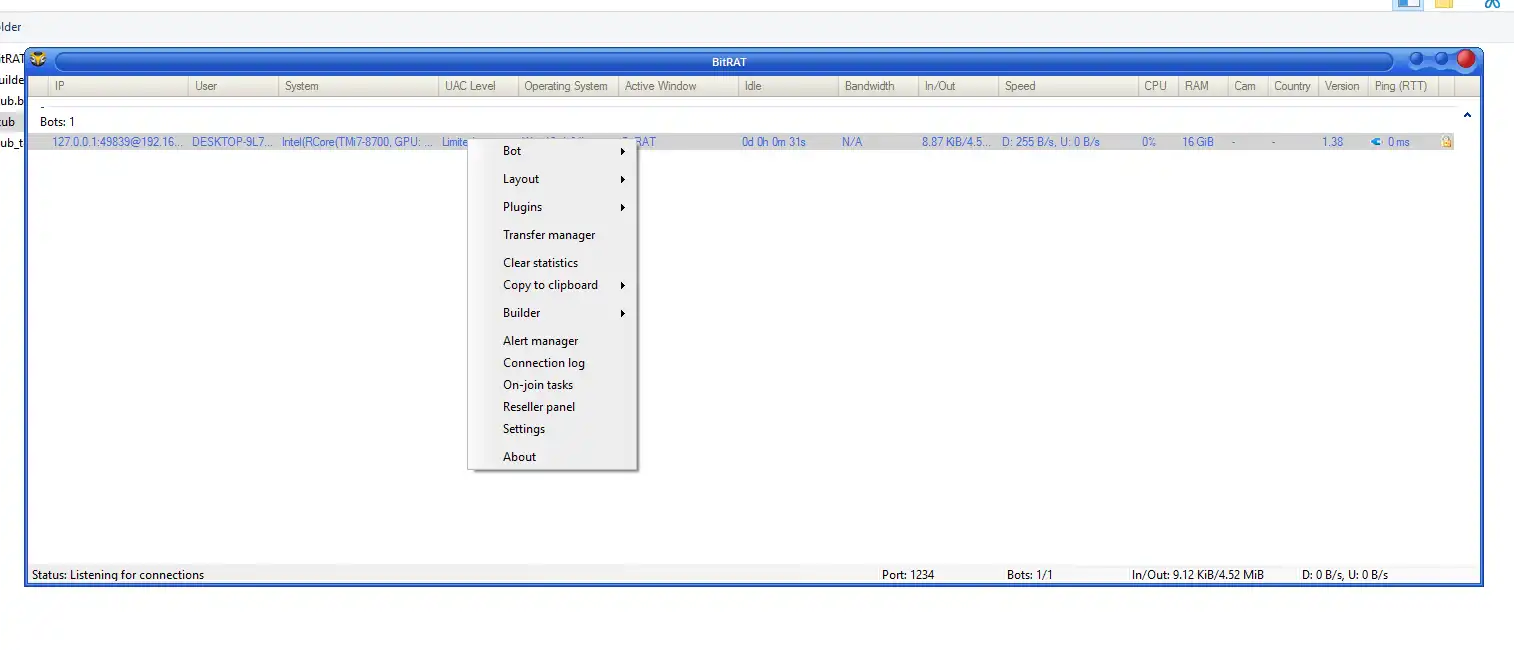
BitRAT 1.39 is a feature-rich remote administration tool (RAT) designed to deliver extensive system control, endpoint monitoring, and network management in Windows environments. Unlike conventional remote desktop applications, BitRAT combines real-time analytics, modular plugins, and encrypted communication to provide a comprehensive administrative ecosystem.
⚠️ Disclaimer: BitRAT 1.39 contains functionalities often associated with RATs. Always ensure legal compliance and obtain explicit authorization before deploying this tool on networks or devices you do not own.
🔑 Key Features of BitRAT 1.39
🖥️ 1. Centralized Dashboard
- Feature: Real-time bot management
- Explanation: The dashboard provides a live overview of all connected devices, called “bots,” displaying IP addresses, system information, and connection status. This allows administrators to quickly assess the network without switching between multiple interfaces.
- Feature: Sortable system data
- Explanation: Columns for CPU usage, RAM, and OS details are sortable, helping admins prioritize critical endpoints or identify performance bottlenecks.
- Feature: Quick access controls
- Explanation: The dashboard includes one-click commands such as reconnect, disconnect, or maintenance mode for efficient network management.
📊 2. Comprehensive System Profiling
- Feature: Hardware telemetry
- Explanation: Automatically retrieves CPU, GPU, and RAM information from all connected hosts, providing an accurate hardware inventory for administrators.
- Feature: Software environment tracking
- Explanation: Captures OS version, architecture, and installed software, ensuring compatibility and security compliance.
- Feature: User activity monitoring
- Explanation: Tracks active windows, system idle time, and user account details, helping admins detect suspicious activity.
🌐 3. Multi-Protocol Network Testing (DDoS Simulation)
- Feature: Target selection
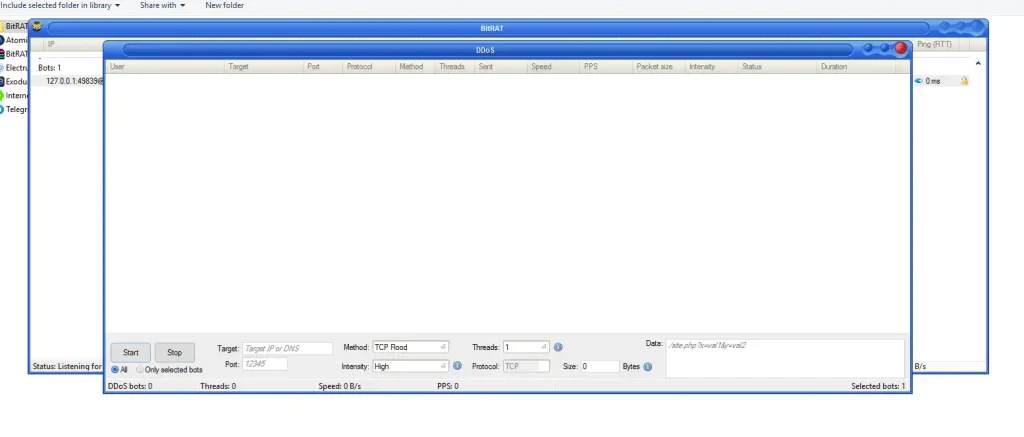
- Explanation: Allows admins to define IP addresses or domains for network simulation or stress-testing purposes.
- Feature: Protocol & port configuration
- Explanation: Supports TCP traffic with customizable port selection, ensuring precise network testing.
- Feature: Adjustable traffic intensity
- Explanation: Attack intensity, packet size, and data payload can be configured to evaluate network resilience.
- Feature: Bot-targeting modes
- Explanation: Choose individual bots or multiple endpoints to optimize testing efficiency.
⛏️ 4. Cryptocurrency Mining Module (XMR)
- Feature: Monero mining deployment
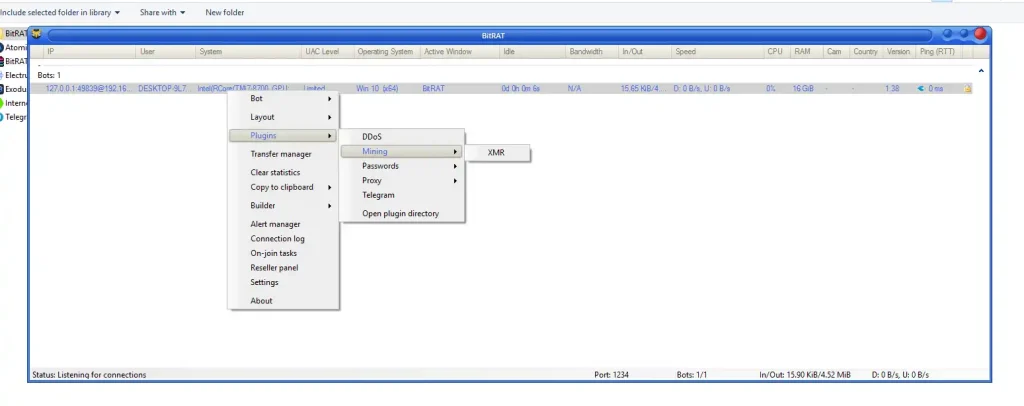
- Explanation: Uses idle system resources across endpoints to mine XMR, providing an optional way to leverage hardware for computational tasks.
- Feature: Resource management
- Explanation: Admins can monitor CPU usage to avoid overloading remote machines, ensuring smooth performance.
- Feature: Mining control panel
- Explanation: Full visibility over mining tasks with pause, resume, or terminate options for each host.
🔐 5. Credential Recovery & Data Extraction
- Feature: Password retrieval
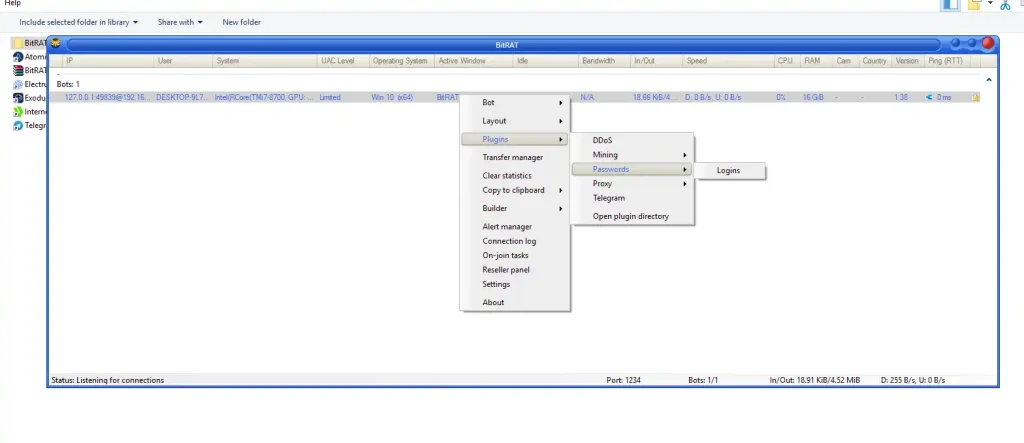
- Explanation: Can extract saved credentials and authentication data from browsers and applications for authorized recovery purposes.
- Feature: Data harvesting
- Explanation: Allows collection of system and user files for auditing or authorized administrative use.
- Feature: Secure management
- Explanation: All data retrieval processes are logged and monitored to maintain compliance with security policies.
🔄 6. SOCKS5 Proxy Management
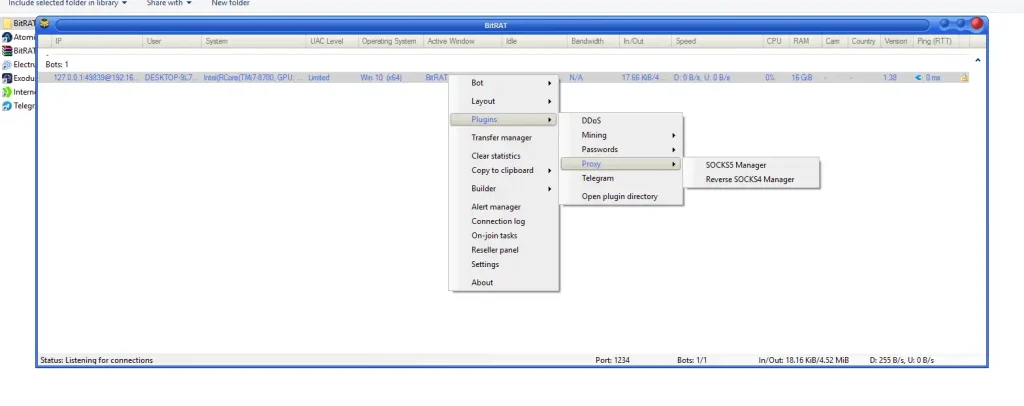
- Feature: Standard SOCKS5
- Explanation: Routes traffic securely through remote hosts, providing network testing or privacy-focused connectivity.
- Feature: Reverse SOCKS5
- Explanation: Enables remote systems to act as proxies for inbound connections, enhancing flexibility in network simulations.
- Feature: Proxy configuration panel
- Explanation: Admins can manage ports, authentication, and routing paths for multiple endpoints.
📱 7. Telegram Integration
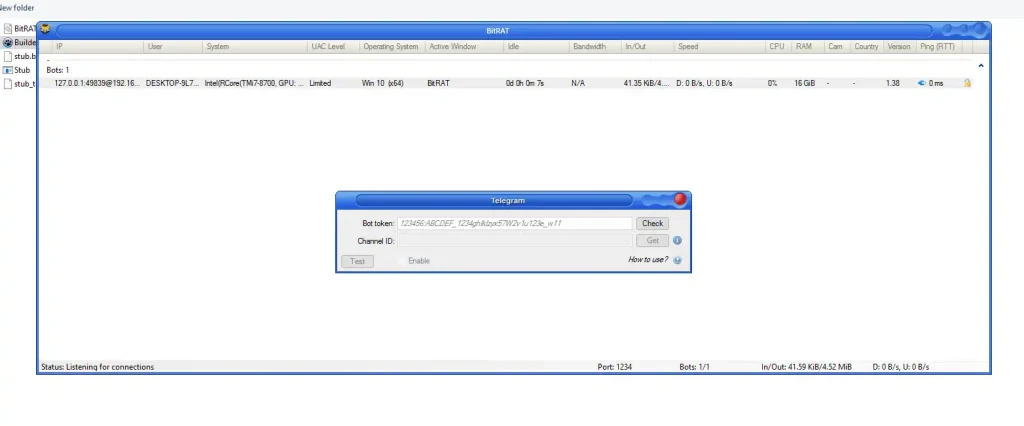
- Feature: Mobile-friendly C2
- Explanation: Admins can issue commands and receive alerts via Telegram, allowing real-time management from anywhere.
- Feature: Alert notifications
- Explanation: Trigger notifications for new connections, errors, or critical system events.
- Feature: Lightweight control
- Explanation: Provides basic management and monitoring functions without accessing the main dashboard.
⚙️ 8. Custom Executable Builder
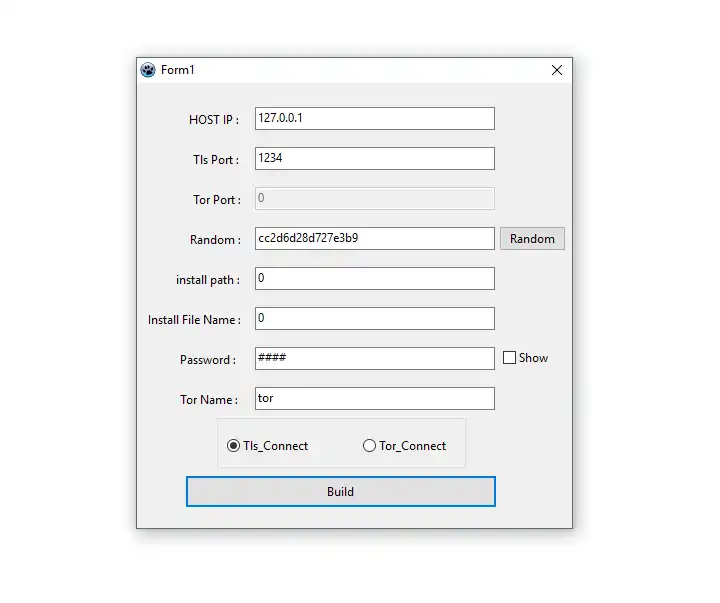
- Feature: Configurable client creation
- Explanation: Generate executables with custom host IPs, ports, installation paths, and password protection.
- Feature: Obfuscation & stealth
- Explanation: Supports file renaming and installation path customization to maintain a professional administrative deployment.
- Feature: TLS & Tor support
- Explanation: Secure communication is ensured through TLS encryption, with optional Tor network routing for anonymized endpoints.
⌨️ 9. Keylogging & Activity Monitoring
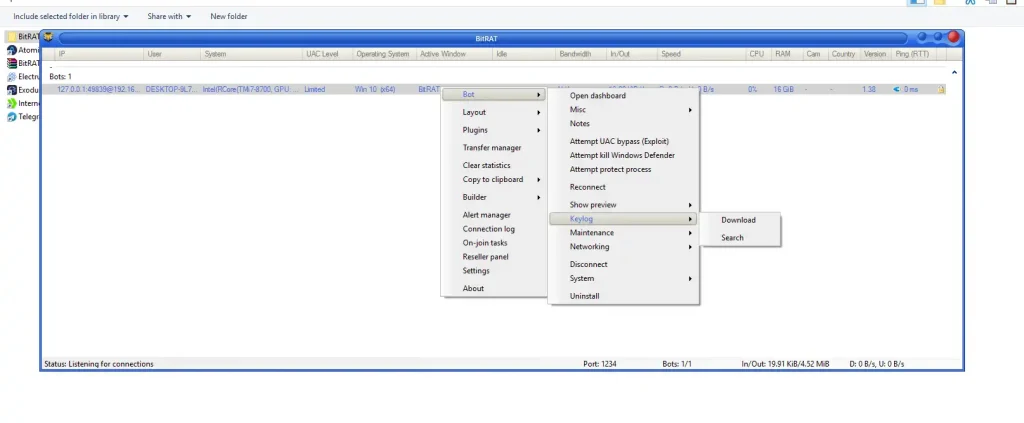
- Feature: Keystroke tracking
- Explanation: Captures typing activity for authorized system audits and security assessments.
- Feature: Active window monitoring
- Explanation: Tracks application usage in real time, helping detect abnormal or suspicious behavior.
- Feature: Activity reports
- Explanation: Generates detailed logs for each host, which can be reviewed for compliance or operational insights.
🛡️ 10. Privilege Escalation & Defense Evasion
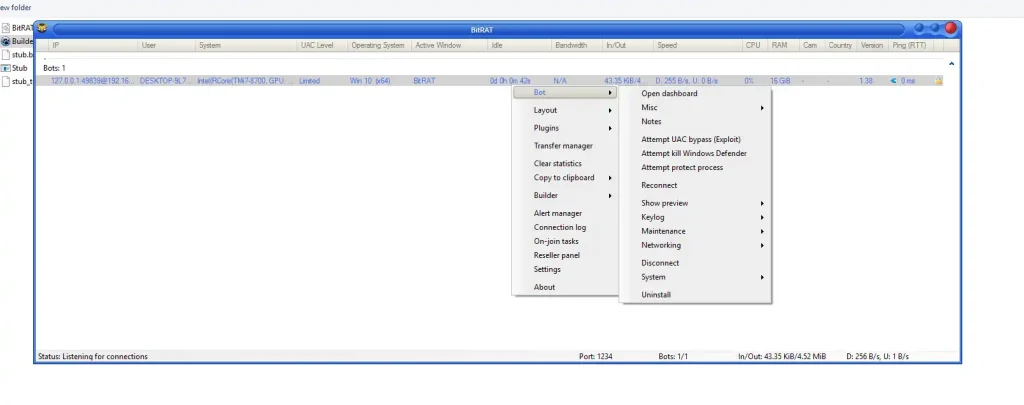
- Feature: UAC bypass
- Explanation: Ensures administrative operations are executed smoothly with minimal user interruptions in authorized scenarios.
- Feature: Windows Defender termination
- Explanation: Temporarily suspends security services to allow controlled administrative tasks; only to be used legally.
- Feature: Process persistence
- Explanation: Maintains long-term system accessibility while preventing accidental shutdowns during management tasks.
📂 Technical Specifications of BitRAT 1.39
| Specification | Details |
|---|---|
| Default Listen Port | 1234 |
| TLS Port (Builder) | 1234 |
| Tor Port | 0 (configurable) |
| Supported OS | Windows 10 x64 |
| Hardware Sample | Intel Core i7, 16GB RAM |
Download BitRAT 1.39
✅ Conclusion BitRAT 1.39
BitRAT 1.39 is a robust, all-in-one remote administration platform for advanced system management, network testing, and endpoint monitoring. Its modular architecture, dashboard analytics, and mobile integration make it suitable for authorized penetration testers, IT administrators, and cybersecurity professionals.
Use Only Legally: Unauthorized deployment or monitoring may violate local and international laws.
❓ FAQs BitRAT 1.39
Q1: Is BitRAT 1.39 safe to use for authorized administrators?
A1: Yes, when used with proper authorization on your own network or systems. Unauthorized use is illegal.
Q2: Can BitRAT monitor multiple devices simultaneously?
A2: ✅ Yes, the centralized dashboard allows real-time monitoring of multiple endpoints with sortable system data.
Q3: Does BitRAT support secure communication?
A3: ✅ Yes, TLS encryption and optional Tor routing ensure secure data transfer between hosts.
Q4: Can BitRAT be used for network testing?
A4: ✅ Yes, it includes configurable DDoS simulation and traffic analysis modules for stress-testing networks.
Q5: Is there mobile control support?
A5: ✅ Yes, Telegram integration allows mobile-based monitoring and command execution.
Q6: Is it compatible with Windows 10 x64?
A6: ✅ Yes, it is designed specifically for modern Windows 10 x64 systems.
Q7: Can administrators extract credentials safely?
A7: ✅ Yes, for authorized purposes such as recovery, auditing, or security testing.