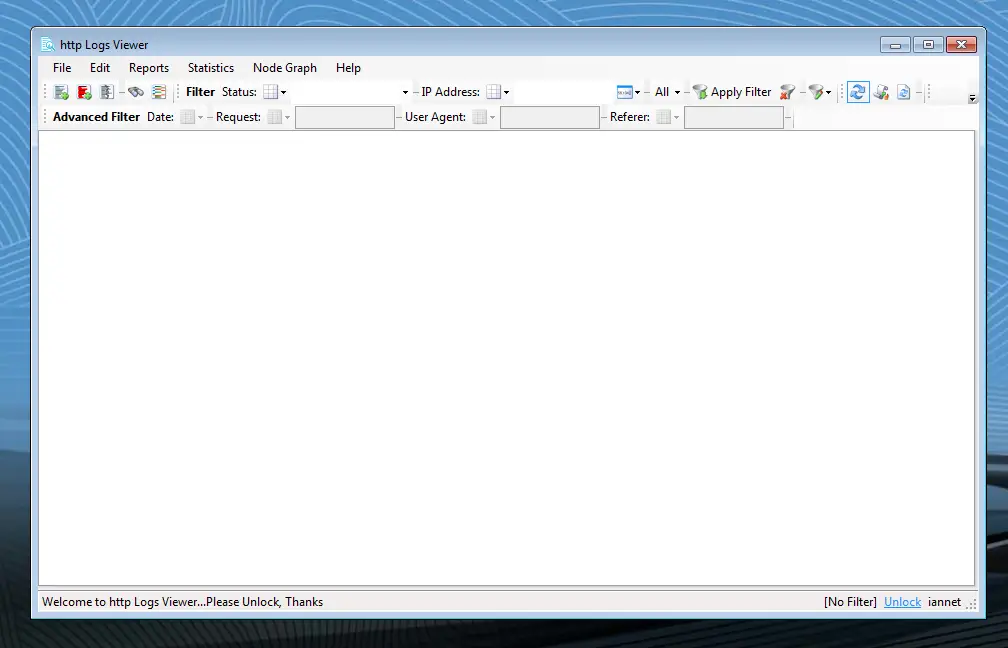
HTTP Logs Viewer 7.0: Powerful Tool to Analyze Apache, IIS, and Nginx Logs in 2025
HTTP Logs Viewer 7.0: Powerful Tool to Analyze Apache, IIS, and Nginx Logs in 2025
In the world of web server management and log analysis, quickly understanding your server’s traffic, spotting errors, and optimizing performance is crucial. HTTP Logs Viewer 7.0 (formerly known as Apache Logs Viewer) stands out as one of the most user-friendly and feature-rich desktop tools for analyzing Apache access logs, IIS logs, and Nginx logs.
Released in mid-2025 with exciting updates like a new installer and built-in support for AI bots, version 7.0 makes it easier than ever for webmasters, system administrators, and developers to dive deep into their HTTP server logs.
What is HTTP Logs Viewer 7.0?
HTTP Logs Viewer is a free (with optional paid unlock for advanced features) Windows-based application that lets you easily view, filter, search, and analyze log files from popular web servers. It supports multiple formats out-of-the-box, including:
- Apache Common / Combined / Custom logs
- Nginx logs
- IIS W3C logs
- WAMP server logs
- Compressed .gz files
Whether you’re troubleshooting 404 errors, monitoring bot traffic (now with better AI bot detection in v7.0), tracking bandwidth usage, or generating quick reports — this tool saves hours of manual work compared to command-line tools or complex setups.
Key Features of HTTP Logs Viewer 7.0
Here are the standout features that make version 7.0 particularly powerful:

- Advanced Search & Filtering — Filter by IP, status code (200, 404, 500, etc.), request method (GET/POST/HEAD), date range, referrer, user-agent, and more
- Real-time Monitoring — Watch local or remote (FTP/SFTP) logs with automatic refresh
- Graphical Reports — Create beautiful pie, bar, line, and stacked bar charts in seconds
- Detailed Statistics — Top hits, top errors, status code distribution, total bandwidth, unique visitors, and more
- IP to Country Conversion — Including IPv6 support
- Export Options — Save filtered results as TXT, CSV, HTML, or log files
- Highlighting by Status — Color-code requests for instant visual insights (green for 200, red for 500, etc.)
- Support for Multiple Logs — Handle huge log files by splitting them by size/date
- New in 7.0 — Modern installer + dedicated detection & filtering for AI crawlers/bots
These features make it ideal for both beginners and experienced sysadmins who want fast insights without installing heavy server-side solutions.
Why Choose HTTP Logs Viewer Over Other Tools?
Compared to online/cloud analyzers or terminal tools like GoAccess, HTTP Logs Viewer 7.0 offers:

- Desktop performance (no upload delays)
- Privacy (logs stay on your computer)
- Simple interface with powerful filtering
- Free core functionality + affordable unlock (~€20)
It’s especially useful for WordPress site owners who manage their own VPS/server and need to regularly check access logs for suspicious activity, crawl patterns, or performance bottlenecks.
How to Get Started with HTTP Logs Viewer 7.0
- Visit the official website: https://www.apacheviewer.com/
- Download the latest version (7.0 or newer)
- Open your server’s access.log file (usually located in /var/log/apache2/ or similar)
- Start filtering and exploring!
Download HTTP Logs Viewer 7.0
Final Thoughts
If you’re serious about web server log analysis, error detection, or traffic monitoring in 2025, HTTP Logs Viewer 7.0 deserves a spot in your toolkit. Its combination of power, simplicity, and fresh updates (including AI bot support) makes it one of the best free/paid desktop log viewers available today.
Have you tried HTTP Logs Viewer yet? What are your favorite features for analyzing Apache, Nginx, or IIS logs? Share in the comments!